Is there a way in Pedigree view to quickly know if there is any media item(s) associated with a person or event? For example I can see the “union/marriage” indicator in the Pedigree view but I can’t immediately tell, without going digging into it, if there is a media item (such as a wedding photo) for that event. Even something like an * after the oo symbol. Using Gramps 5.1.6 & Win10.
This has Media indicated in 2 ways in the Charts category’s Pedigee view mode:
In the View → Configure…, the layout tab, the checkbox options to Show images and Show tags have both be selected.
In Person view, use Edit → Tag → Organize Tags… to add a Tag (called Media and colored Gold) and move Up to the top of the Tag list

Created a “Has Media” Custom Rule to look for People with at least 1 media object:

Used the Add/Remove Tags… addon tool to tag People who match the “Has Media” rule with a “Media” tag. Which results in a Pedigree view for the Example.gramps sample tree. (Added a Media object to the Home Person’s maternal grandmother. Just so it represents a case where the box is too small for the Media preview.)

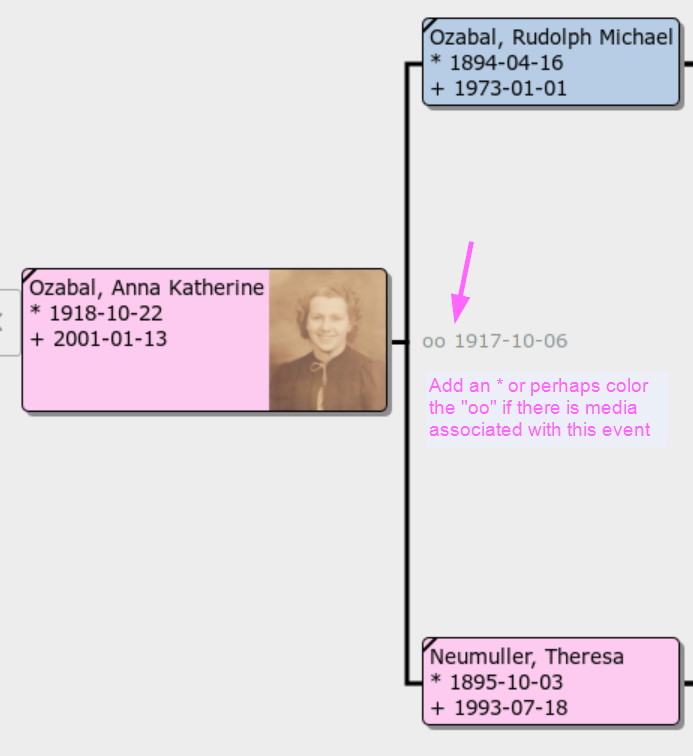
That only has text information about the marriage fallback. (Including a character to indicate the relationship type: married, divorced, et cetera.) There is no additional indicator built into the Pedigree view.
You could do a set of complex Custom Filters to tag the spouses of a Family. But it would be a LOT more complex than the last one described.
Or for a list view, you could do an Events filter to find Marriage with a Media/Gallery item.
The CardView experimental View Modes addon has better and more versatile indicators:
