Since the last status update one month ago, the following enhancements have been implemented (as of v0.1.138):
-
PR #27 by @roptat has been merged adding menu items to the context menu which can be used to add relatives to persons and families.
-
Implementation of the “Add relative” feature which displays an overlay to add people/families related to the clicked person. This was highly requested by @csam here).
When you click this button
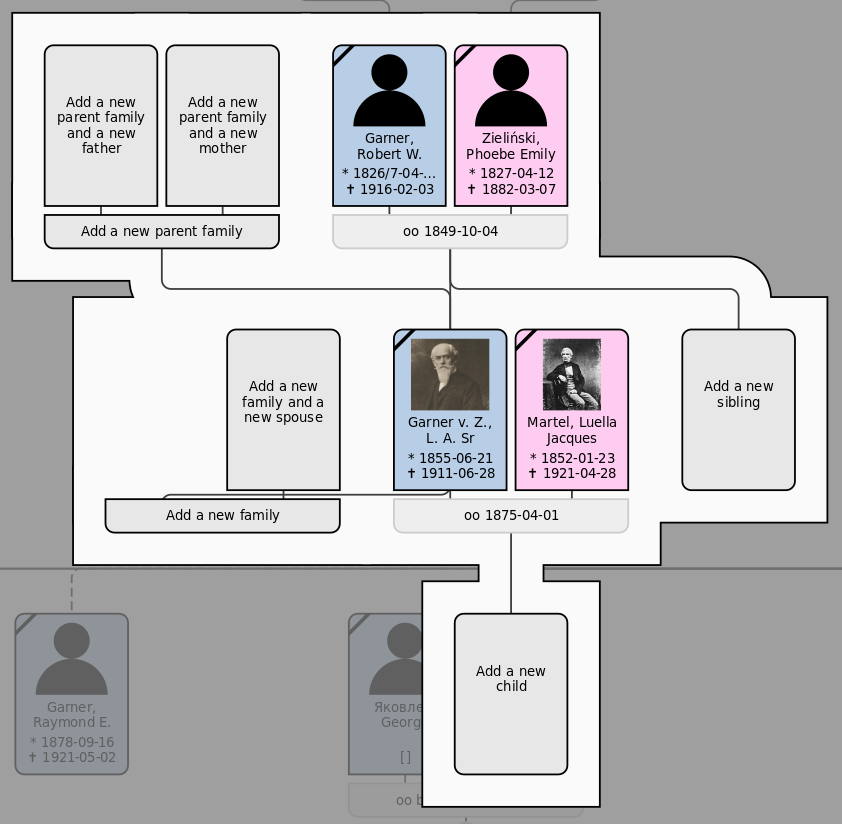
 , the following overlay appears:
There are three other variants of this overlay of varying complexity. You can choose one that best suits your workflow for adding new information to your tree in the config window on the Interaction page.
-
Variant with direct relationships only:
-
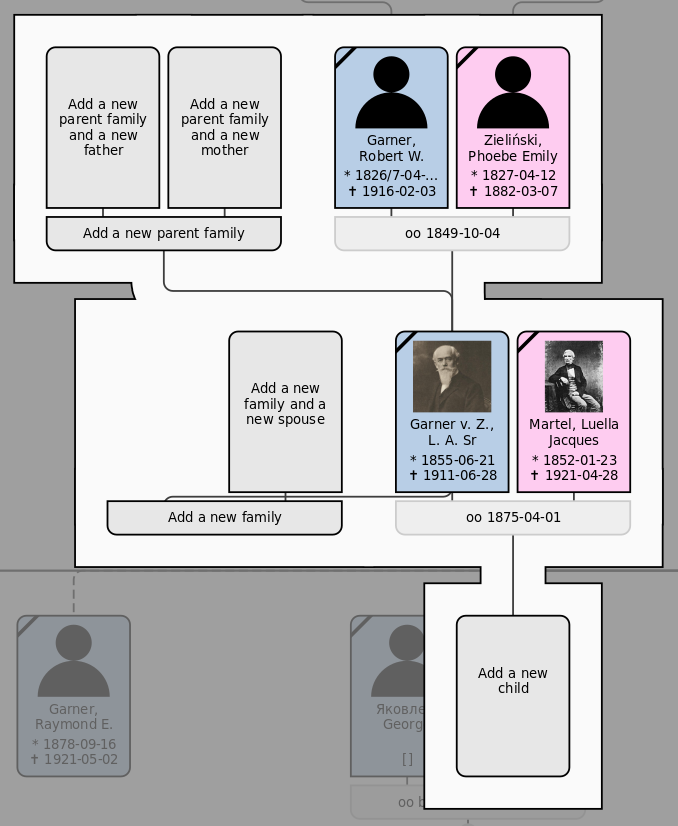
Variant with main relationships only (no alternative parents, no alternative families/spouses):
At first glance, the screenshot above may not seem to have a lot of actions available, but if there are no parents/spouse yet, their empty boxes will allow you to add them. -
Variant with all implemented options:
The new overlay also supports dark themes:
Please be careful with this new feature. Be sure to back up your tree before using it. But testing it and reporting bugs is highly appreciated. I think if there are any critical bugs, they will be reported and fixed soon.
Note that FTV basically just opens the editing windows and connects the new person/family to existing people/families. It doesn’t create its own database transactions. -
-
Improvements for large trees: Since the progress meter allows you to cancel while the tree is being built, larger trees can be built without forcing the user to wait a potentially very long time and without Gramps freezing. Therefore, the following improvements have been made to FTV to display larger trees:
- Show up to 100 ancestor and 100 descendant generations of the active person in one tree.
- Increased zoom limit to allow for further zooming out.
- Hide small canvas items (text, expanders, badges) when zooming out very far to improve performance.
- Fix visual detail in minimap for large trees.
-
The pull requests #28 and #36 by @TJB have been merged fixing multiple issues with the panel timeline.
-
The event description is now shown by default for more event types by default (e.g. vocational, academic and other event types).
-
FTV now uses only one page/tab in the config window and a page selection on the left side. This avoids confusion (e.g. see here) and allows for a tree-like organization of config pages in future updates.
-
Several minor bug fixes and improvements.


As always, I’m looking forward to your valuable feedback!