On Facebook, user @ChabotEric posted about maintaining an Excel spreadsheet as a cross-reference between Gramps IDs and those in his other software.
It seemed like that would be easier to maintain in Gramps as Attribute values. If Excel is needed for analysis or script building, it is easy enough to output a CSV of the Gramps ID and the Attribute value from SuperTool.
@kku was kind enough to create a SuperTool script that filters on an Attribute type and/or value. And it can be loaded in any category and saved as a Custom Filter.
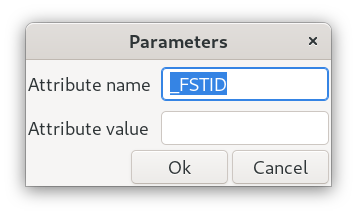
Kari also enhanced SuperTool so that the getargs feature can be used in a Custom Filter. This allows different parameters to be used for each run of the filter. (It remembers the last values to make it easy to run again with the same settings.)
A new SuperTool 1.6.2 addon update is available from the Isotammi curated collection via Addon Manager.
Save the following as either a Note of SuperTool Script type or as a .script file:
[Gramps SuperTool script file]
version=1

[title]
filter-by-attribute

[description]
Filter Attribute by type and/or value (can be saved as a filter)
   Kari Kujansuu 2026
discussed in:
https://gramps.discourse.group/t/using-attributes-for-ids/9004

[category]
People

[initial_statements]
args = getargs(attrname="Attribute name", attrvalue="Attribute value")
attrname = args.attrname.strip()
attrvalue = args.attrvalue.strip()

def match(obj, attrname, attrvalue):
	if (attrname, attrvalue) in obj.attributes:
		return True
	if attrname == "":
		for (name, value) in obj.attributes:
			if attrvalue == value: return True
	if attrvalue == "":
		for (name, value) in obj.attributes:
			if attrname == name : return True
	return False

[statements]

[filter]
match(self, attrname, attrvalue)

[expressions]
name, attributes

[scope]
all

[unwind_lists]
False

[commit_changes]
False

[summary_only]
False
Although the category in the above script is set to People, this same code can be used to search attributes in any Primary object category. (So… not the dashboard, Relationships, Charts.) And the script can then be saved as a Filter from SuperTool while that category is active.

One of the benefits of running the filter in SuperTool is that results (on left) in the People view do not display the actual Attribute values. But the results (on right) in SuperTool can show any records you like:
