I wanted to export the places to be used in a new Gramps Family Tree, so selected the Places View and ran [Family Trees → Export View…].
When opening the CSV file in a spreadsheet, I noticed that there are varying number of columns depending on the number of levels.
This makes it very hard to use the exported data.
The Title column for Places includes comma delimiters in the data. But the content should be enclosed by double quotes as text qualifiers (“quoting”) by default.
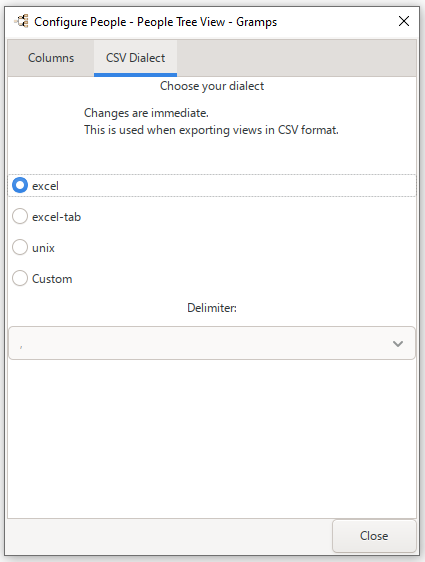
The CSV Dialect is configurable. (Since these settings are global rather than isolated to each view mode, it seems as though the CSV Dialect settings should be in Edit → Preferences… rather than View → Configure… )
When you import the csv, you have to select the option to use these text qualifiers. {I prefer to use the “excel-tab” Tab Separated Values (TSV) as the CSV Dialect instead of the comma delimiter.}
Just made another test.
All my testing until now, has been from the Places View - Place Tree listing (which I’m always using).
Changed to the simple Places listing, then the export has the following columns:
Name,Title,ID,Type,Latitude,Longitude,Last Changed
The Grouped by Surname Person view export should suffer from a similar problem.
(Although its problem should only be 1-step offset. So its export might just compensate with an extra comma. The Place hierarchy is variable depth. So that solution in that si.ple group wouldn’t be applicable.)
After trying a lot of different exports of a subset of the places using [Export View…], and not being able to import the exported data into a new Family Tree database, I tried to use [Export…] as CSV and only selecting Places. This exports all Places from the Family Tree. But this export can be imported into another database (Family Tree).
Looking at the csv file I see that it contains the column “Enclosed_by”, which is quite important for the tree structure. Also noting that both the ID column and Enclosed_by column, the values are in square brackets e.g. [P0045]. Strings are not in quotation marks.
However, using the [Export View…] does not include the “Enclosed_by” column. It cannot be included in the Places list view as it is missing in the list view Configure options.
The square brackets ensure that if you already have a place with that ID, it will not be overwritten.
A few years ago, I had a lot of problems with this, since the import would throw an error if places were not in the “right order.” All places would be overwritten by an import. This was first fixed with a “hack,” but I believe it was properly implemented in version 5.1 or 5.2.
After that fix in the import/export gramplet, I never had any trouble exporting and importing place hierarchies. Most of the time, I have imported a little over 86,000 places into a Gramps database from CSV. I once tried with 386,000 places, but it took far too long and Gramps seemed to hang — no CPU usage, no memory, and no disk (NVMe SSD) activity after a few hours.
I have not tested it in v6.x.x.
It is important to have those brackets, because if the same place (with ID) is listed multiple times in your CSV, or already exists in your database, it will be overwritten if you don’t include the square brackets.
I never use the “list view” export/import, only the full export/import.